Internal architecture
The scheme displays the server's internal structure:
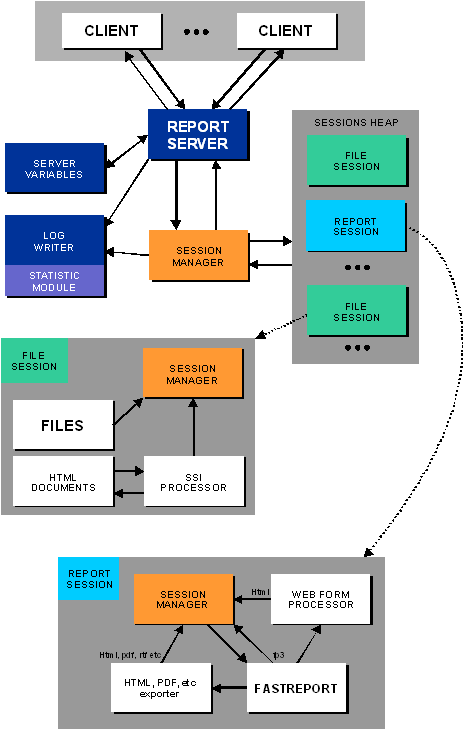
The sessions with unique identifier are created when a request from client comes. The line of the request is analyzed. If the requested file exists, then the server sends a positive response with the file to the client. Logs are updated with new record about this event. If the request contains the report query, then a special report session is created. After the report is built, the result is saved to folder with session number as a name. The server responses to the client, and reports a new file location. The client sends a new request to the new file location, and receives the file with the result. Session with the resulting file is stored by server until session time expires.
Below is a step-by-step graphical overview of the report query transaction with the web browser:
- client sends query; the report's title is "1.fr3"

- the server creates a new FastReport instance and delivers parameters of the request

- FastReport prepares the report and exports results to a html file into the folder, the name of the folder is the same as the session's number
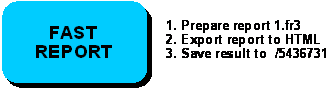
- server waits for the results from FastReport

- client receives redirection to the location of the resulting file

- client sends a new query with the request of results file

- server delivers the resulting file to the client

Step-by-step graphical overview of the report query transaction with the FastReport (TfrxReportClient):
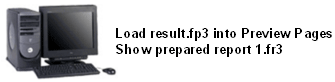
- a client wants to show report "1.fr3":
- client component sends a query with the name of report "1.fr3" (native result format)

...
- FastReport prepares the report and saves the results to a native fp3; the name of the folder is the same as the session's number
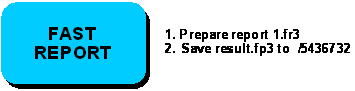
- server waits for the results from FastReport

- client receives redirection to the location of the resulting file

...
- server sends the result file to the client

- client displays the report
If the inquired report contains any forms, the process becomes more complicated:
- client client component sends a query with the name of report "1.fr3"

- the server creates a new FastReport instance and transfers parameters of the request

- FastReport prepares report and saves the web-form into the folder name according to the session number
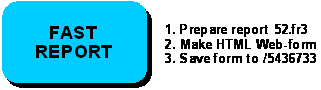
- server wait the results from FastReport

- server redirects the client to the web-form file

- client receives the web-form, while FastReport waits
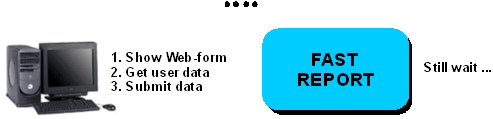
- client sends of the web-form dialog controls states to the server

- the server transfers the values of the control elements to the server

- server delivers the received information to FastReport

Format of the server request line, logging, authentication and other issues concerning server's functioning, are described below.